Main
Main Site Map
 Blog
Blog Calendar
 Gallery
 Site Traffic
 Site Health
> /Daniel/MRoadster/Upgrades/SportModeclusterLamp.php
After removing the two screws in the top of the cluster, work it out slowly.
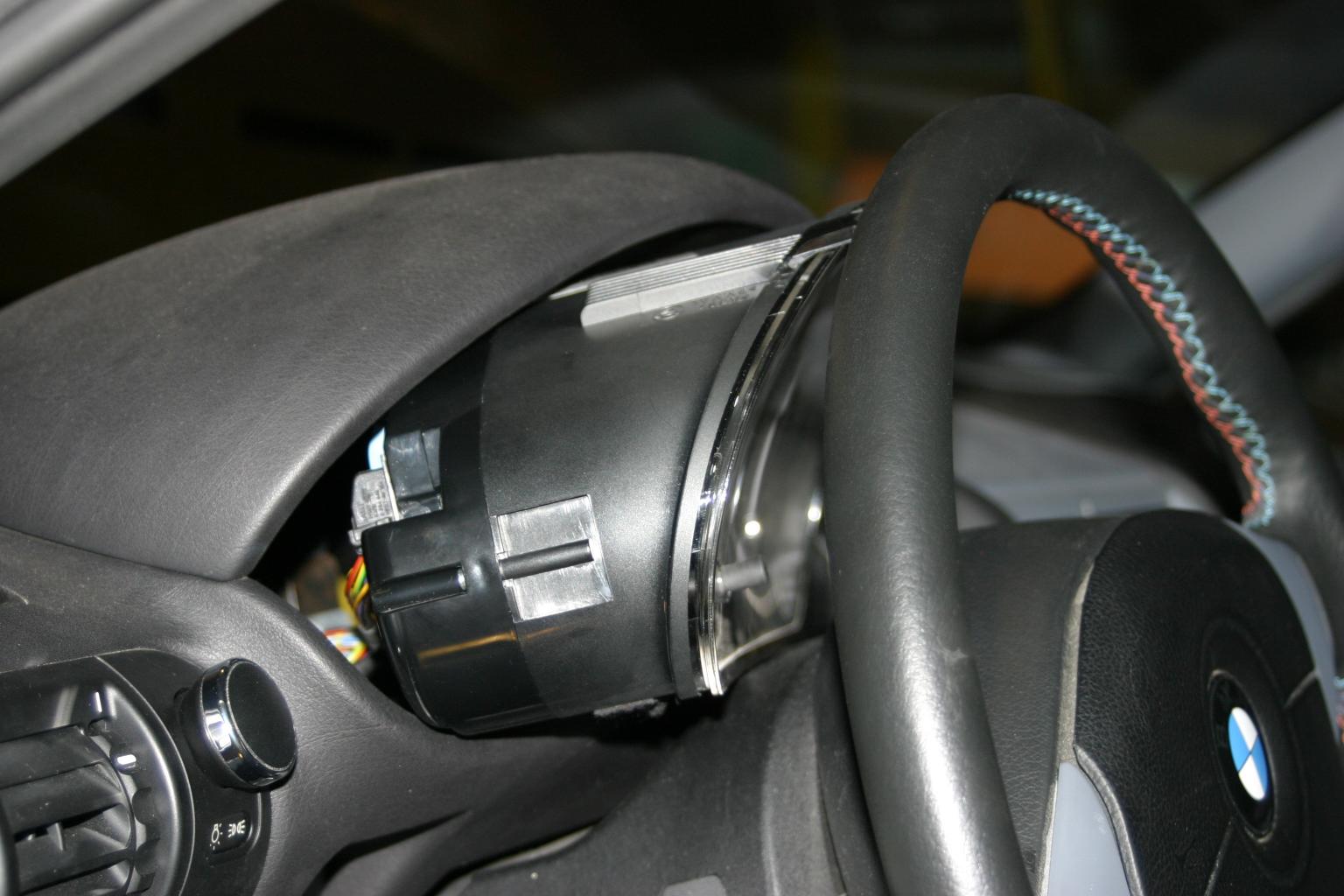
Once the cluster is out far enough, you can angle it down a bit toward the driver's side door sill and pull it out from behind the steering wheel a bit to unlatch and pull out connectors X271 and X17.
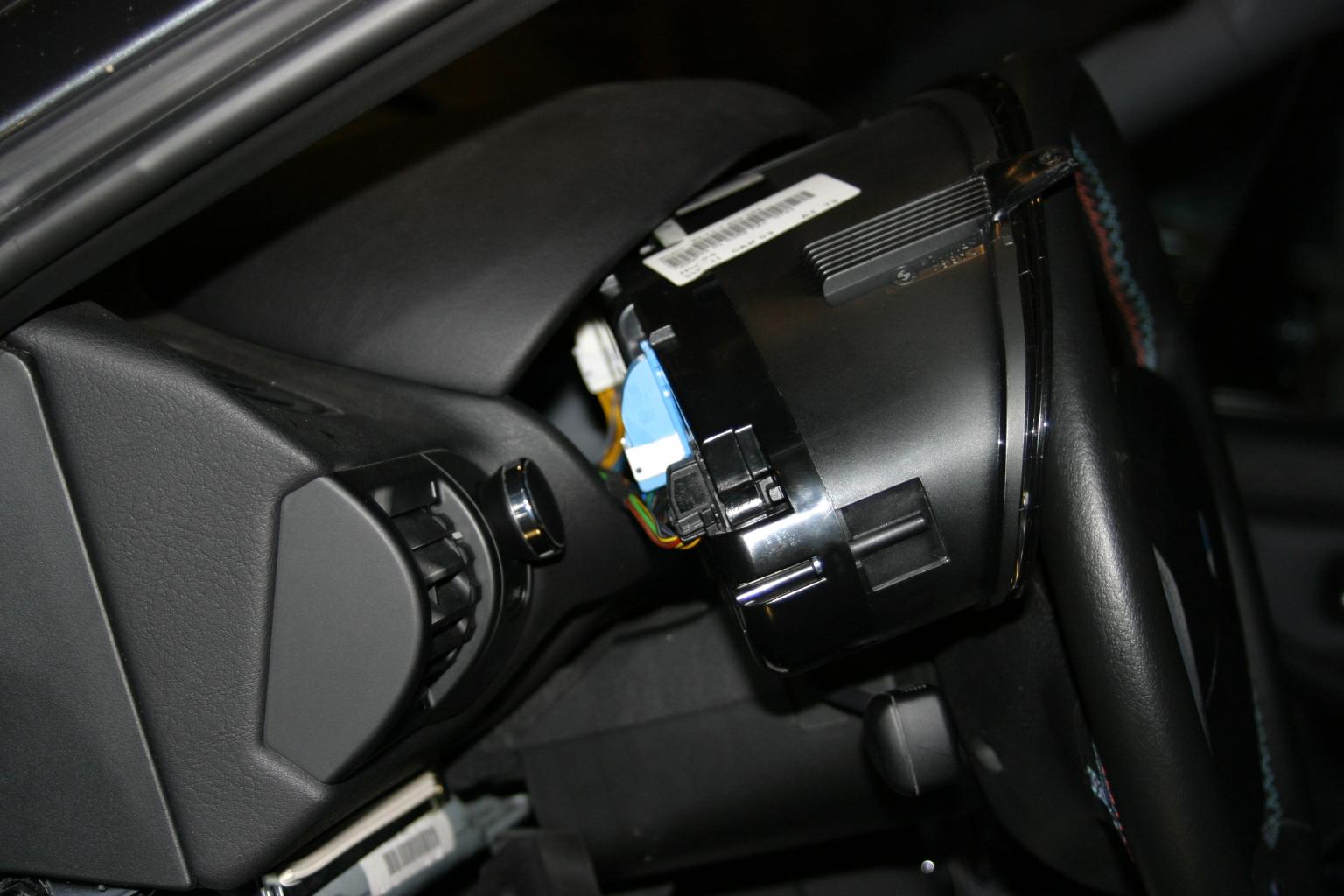
You can then do the same in the other direction to access connector X16 to unlatch it and slide the cluster out from behind the wheel.
When looking at the back of the instrument cluster, the Sport bulb should be installed in the socket furthest to the right at the bottom. This bulb's positive lead is connected to pin 8 on X17; 12V on this pin will light the bulb.
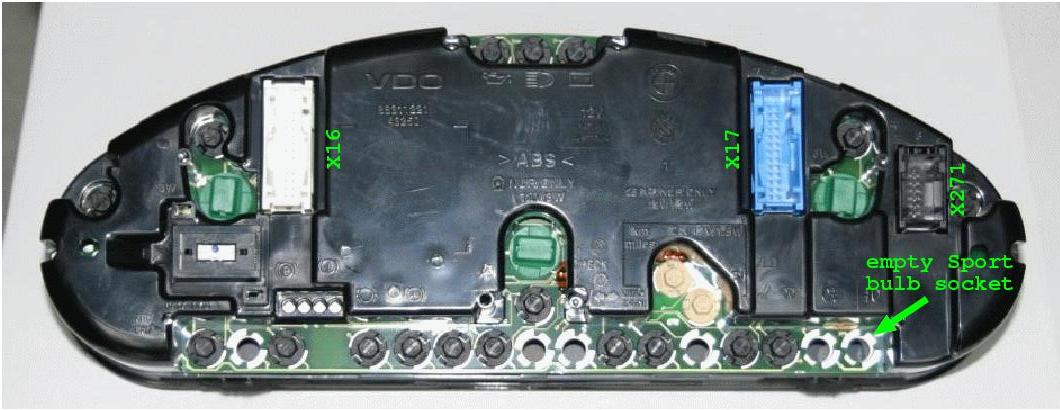
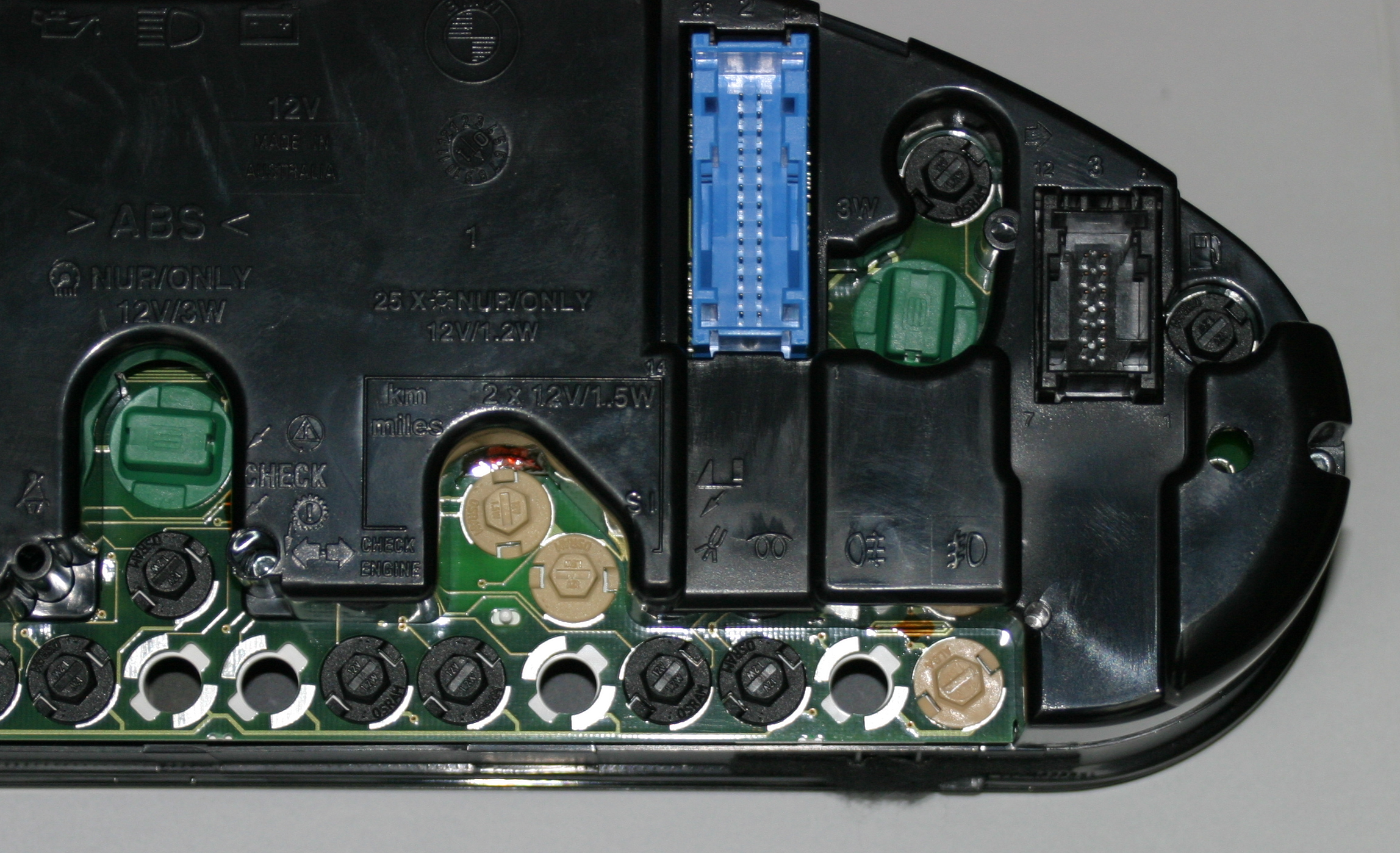
We need to populate pin 8 of the X17 connector, which is the blue connector in the back of the instrument cluster.
To do this, we must first release the connector from the lever-latch shell.
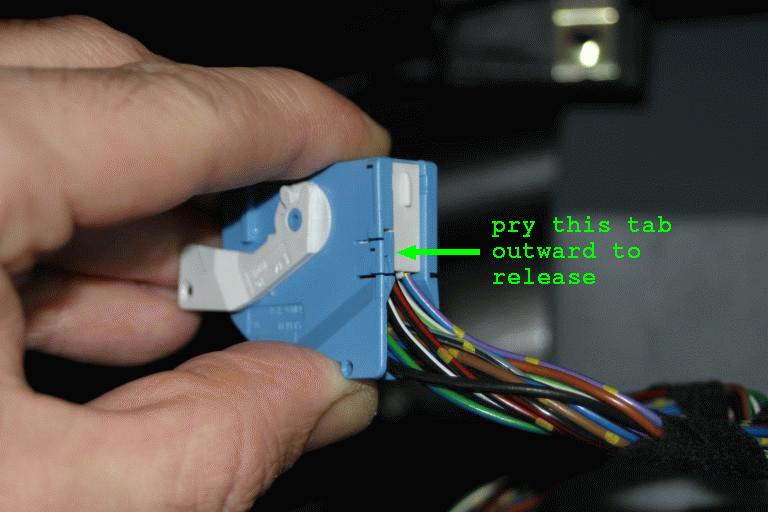
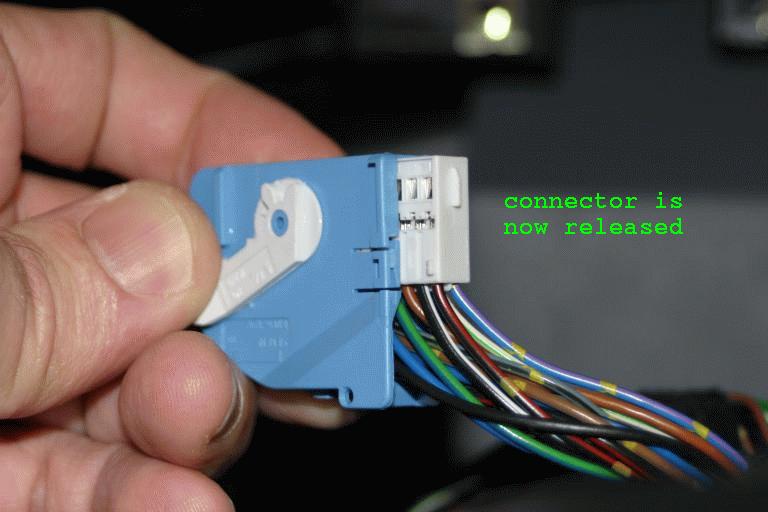
Once released, we insert a tailed pin sleeve into the pin 8 position.
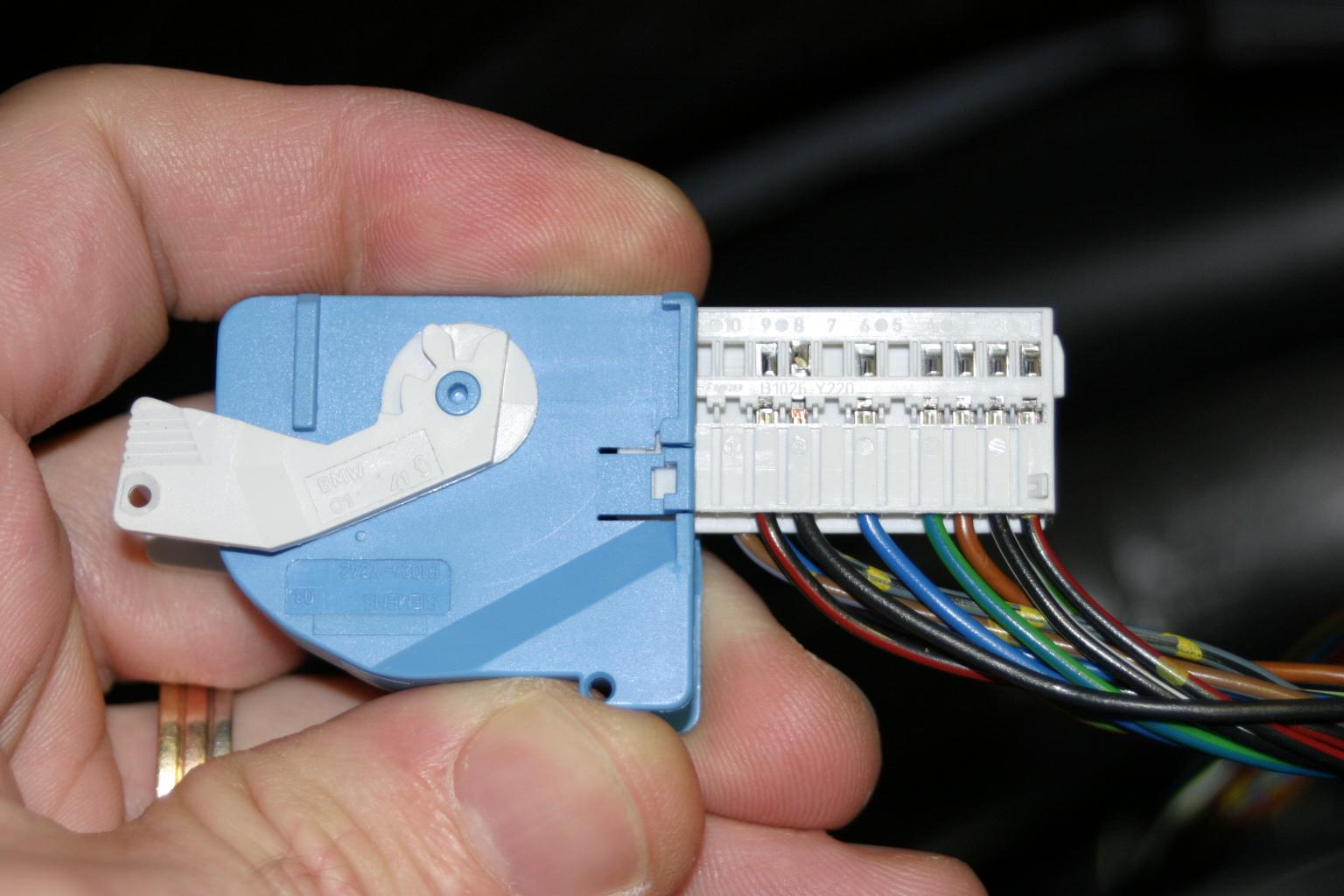
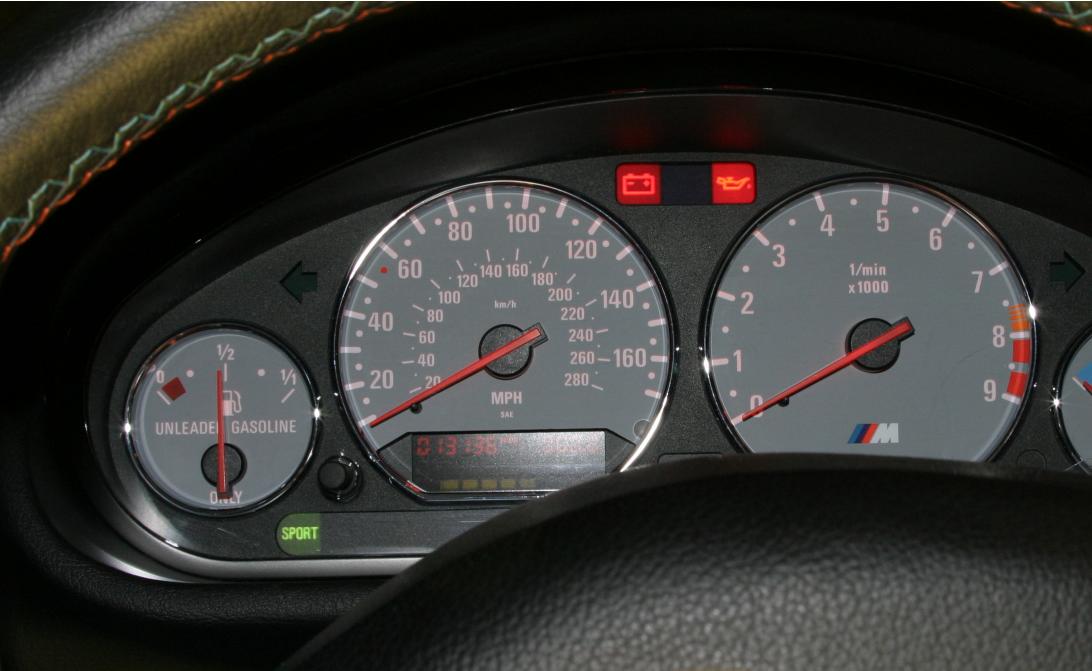
The Sport Mode Mini Module will put 12V on our new wire when Sport mode is enabled, which will light the Sport indicator in the cluster. Note the plcture below was taken with the key in the run position but the car not yet started; hence the battery and oil indicators (there's nothing wrong here).